I Rebuilt My Company Site From My Phone (At the Gym)
What it actually looks like to work with remote AI agents. What worked, what didn't, and how Claude Dispatch compares to our custom AI tools.
I wrote this blog post from my phone at the gym. Between sets.
Rebuilding the CloudBuddy site was on my backlog. The site was still focused on environmental teams, while three of our last five projects have been outside that space.
Anthropic recently released Dispatch for running AI agents remotely. I wanted to see how far it could be pushed from a phone.
This is my experience using Dispatch to rebrand the site from my phone. This covers what changed, what worked, what didn't, and a comparison between Anthropic's Dispatch and the custom Claude Code setup I use at home.
To be clear: this was an experiment. I wanted to see how far I could push remote AI tooling on our own site. Client work and production systems get a more structured process with testing environments and approvals.

What Claude Dispatch Is
Dispatch is Anthropic's remote agent tool built on Claude. You give it instructions from a browser or your phone, and it handles execution: reading files, writing code, running terminal commands, making AWS API calls, deploying builds. No IDE, no SSH session, no local environment.
I gave it context from our current site upfront: Next.js static export, deployed to S3 and CloudFront, TypeScript throughout, Tailwind CSS. It read the existing codebase, understood the patterns, and made changes that fit the way the project was already built.
- Set up a CloudFront distribution and configured Origin Access Control (OAC) for the S3 bucket. OAC is the modern replacement for OAI and required updating the bucket policy with a different principal format.
- Diagnosed and fixed a routing issue with the /ideas page. Next.js static export generates /ideas.html, but CloudFront was serving 403s because no CloudFront Function was rewriting the URI. Claude identified the gap, wrote the function, and attached it to the distribution.
- Fixed a broken contact form modal that was silently failing in production. The API URL from .env wasn't being baked into the static build correctly.
- Moved the live domain from one CloudFront distribution to another, including Route 53 DNS record updates, SSL certificate verification, and cache invalidations on both distributions.
- Built a local SEO system: unique custom pages and content for select cities in the Chicago area.
- Added SEO infrastructure: OpenGraph metadata, JSON-LD structured data, sitemap.xml, robots.txt with AI crawler permissions, ai-plugin.json, and llms.txt.
- Built this blog system: a typed Block content system, a blog index page, and individual post pages with Article JSON-LD schema.
Most of it went smoothly. A few things took multiple rounds. The contact form modal debugging wasn't obvious at first. The root cause, a missing env variable in the static build, took a couple of attempts to surface. There was also a syntax error in a data file from a misplaced bracket. Claude caught it when the build failed and fixed it, but it was still an extra round-trip. The work moves fast, but it's not frictionless.
The Custom Built Setup
I also run a different setup for projects I'm actively developing locally. It's more DIY, requires more maintenance, and gives me something Dispatch doesn't: real-time streaming of everything Claude is doing.
I have a Discord server with channels wired to separate projects running on my machine. Each channel has its own Claude Code agent pointed at that project's working directory with proper permission scoping for that project. A Discord bot listener sits between them, routing messages and streaming output back. I drop into a Discord channel on my phone, speak an instruction, and Claude Code picks it up. It makes file edits, runs builds, and streams every line of output back to the channel as it happens.
I also built a before/after screenshot tool that generates side-by-side images for frontend changes. When Claude edits a component, I get a comparison image in the channel showing what changed. It's been useful for catching visual regressions without pulling up a browser.
The setup is more plumbing than I'd want to maintain long-term. But it helps for quickly building ideas into prototypes.
An Honest Comparison
Dispatch
- Clean, polished interface with nothing to configure or maintain on your end.
- Native integration with Claude. Everything works the way it was designed to.
- Works reliably from any device, including mobile, without any local setup.
- No streaming output. You send an instruction, Claude works, you get a result when it's done. You don't see it reasoning in real time. For most tasks this is fine. For complex debugging where you want to follow the thread, it can be frustrating.
- Every new action type requires individual approval in real time. Safer, but it gets tedious fast when you're trying to move quickly.
Discord + Claude Code
- Full streaming. I can watch Claude reason through a problem as it happens, see every tool call, observe every decision point.
- Custom tooling is possible. The before/after screenshot tool is something I use constantly and couldn't replicate in Dispatch.
- More transparency into what the AI is actually doing, which helps you catch wrong assumptions before they compound.
- You can preset a scope of permissions for the project upfront. The agent runs within that scope without interrupting you to ask. Less friction when you're moving fast.
- Requires a running Discord bot listener. When my machine is off, it's off. Not useful for remote-only workflows.
- More setup, more maintenance, more surface area for things to break.
This was my first real session using Dispatch. It worked pretty well. I'm impressed. But my custom Discord setup is still better for the things I care about: streaming output so I can watch Claude think, pre-scoped permissions so I'm not approving every action, and before/after screenshots baked in. That said, this is the fun part of AI tooling right now. Dispatch might add those features next month. And I'll probably build another five things into my personal setup this week. There's always something new to try.
How the Work Changes
When an agent is handling execution, you shift from being the person who writes the code to being the person who decides what to build and reviews whether it was built correctly. That's a real change in the work.
It's still technical work. Reading a diff carefully, knowing whether the TypeScript types are actually right, understanding whether a CloudFront routing rule will break in a specific edge case, catching when Claude made a plausible assumption that happens to be wrong. All of that requires a real engineer paying attention. But the ratio of thinking to typing changes a lot.
Working from my phone opens up more trial and error. Most UI actions here are low consequence. If something doesn't look right, I tell it to fix it. You don't have to plan as much upfront because you can adjust quickly.
Important to call out that client projects use many of the same tools but with a different process. Defined scope, staging environments, review cycles. The trial and error happens on our own projects and then we bring the hardened versions to client work when it meets the bar.

Expanding the Work
CloudBuddy has always worked with environmental organizations, helping them track compliance data and manage sustainability reporting. That work is still happening. But over the past year, we've been seeing the same pattern all over: someone on a team spending hours manually pulling data from one system, reformatting it, and entering it somewhere else. Not just environmental data. Invoices, CRM updates, status reports. The same manual work in every industry.
It's the same structural problem in every industry. Professional services firms, operations-heavy small businesses, companies that scaled faster than their internal tooling. The people doing this work are not entry-level. They're capable people doing repetitive tasks that should be automated because no one has had time to fix the process.
CloudBuddy now builds automation infrastructure for businesses that have outgrown manual workflows. Same company, expanded scope. The site needed to reflect that.
The Meta Part
This blog post was written by Claude as part of the same Dispatch session it describes. The blog system it lives in was built in the same session.
Admittedly, this post took some revisions to get accurate and in my own voice. But I committed to only suggesting edits through prompts on my phone.
The decisions about what to include and how to frame it were mine. The execution was Claude's.

David Johnsen
Founder, CloudBuddy Solutions
Want to automate a workflow in your business?
Tell us what your team needs help with. We’ll work through a starting point together.
Put us to workMore posts
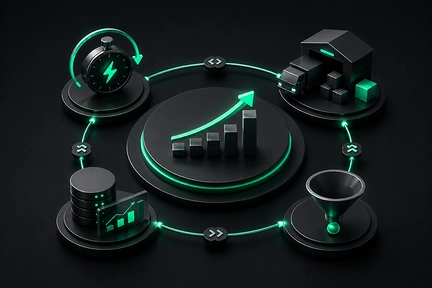
Where Business Advantage Comes From in the Age of AI
AI made software cheap to produce, which means the software itself is no longer the moat. Four advantages still compound: speed of the full loop, anything anchored to the physical world, data that improves with use, and owning one narrow problem end to end.
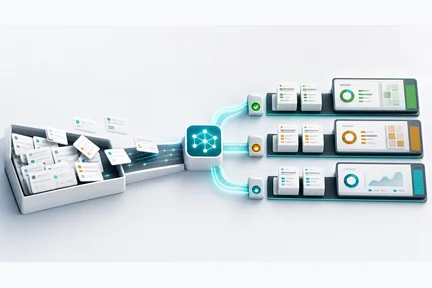
Agent Queues: How AI Turns Backlogs Into Systems
The easiest way to understand useful AI at work is to look at the queue: the inbox, ticket list, approval pile, lead backlog, or report stack where work waits for the next step.

Fable 5: The Mythos Model Just Went Public
Anthropic released Fable 5 today, a Mythos-class model anyone with an API key can use. I ran it head-to-head against Opus 4.8 and Sonnet 4.6 on launch day, from quick puzzles to a 150,000-line codebase audit. The frontier difference shows up exactly where you'd expect, and not where you wouldn't.
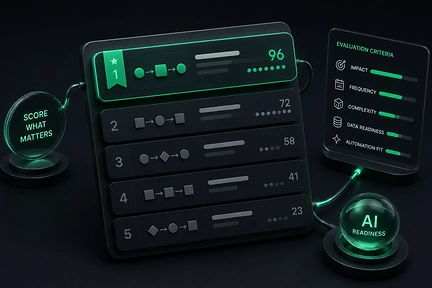
AI Workflow Ranking: What to Automate First
Most AI projects fail at the first decision: which workflow to build for. AI Workflow Ranking is a repeatable way to score every workflow on readiness and value, then pick the first build that actually pays off.
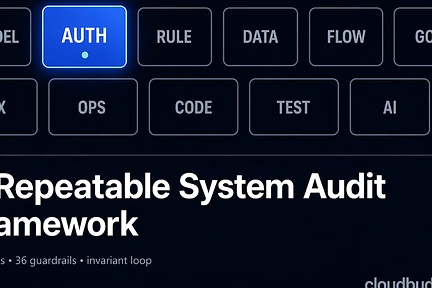
A Repeatable System Audit Framework for Production Software
A repeatable framework for auditing a SaaS codebase at scale. A set of audit tracks you select and adapt to your system, an invariants loop that stops regressions, and a verification cycle that makes each audit cheaper than the last. One recent application surfaced hundreds of findings and promoted 36 invariants to code-level guardrails.
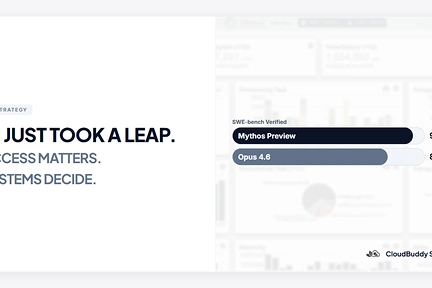
AI Just Took a Leap. Access Is Becoming a New Advantage.
Anthropic released Mythos Preview to a closed group of organizations. The capability leap is real, but the access model may matter just as much. As AI shifts from an equalizer to a gated advantage, the teams that win will be the ones that can turn that capability into working systems.
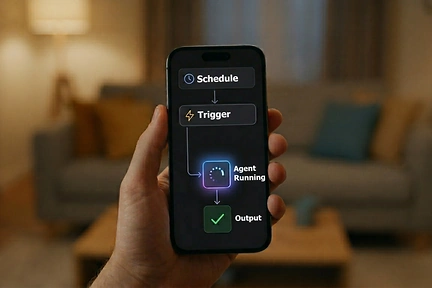
Claude Code Leaked. I Looked Under the Hood.
Claude Code CLI accidentally exposed part of its codebase. I pulled the package and looked under the hood. The direction is clear: AI agents are becoming systems.