A Repeatable System Audit Framework for Production Software
A repeatable framework for auditing a SaaS codebase at scale. A set of audit tracks you select and adapt to your system, an invariants loop that stops regressions, and a verification cycle that makes each audit cheaper than the last. One recent application surfaced hundreds of findings and promoted 36 invariants to code-level guardrails.
Most production software systems accumulate the same pattern. Small shortcuts pile up. The same bug shape shows up in three places. Something fixed six months ago reappears in a different form, and nobody remembers the context.
This is a framework for finding those shapes systematically and preventing them from coming back. It covers the tracks that structure each pass, the invariants layer that turns findings into code-level guardrails, and the verification loop that makes each audit cheaper than the last.
This is a working structure that evolved over repeated audit runs. Treat it as a starting point and shape it to your system.
The data in this writeup comes from one recent audit pass on a system being prepared for production use, where every core calculation has to be reproducible five years from now. The goal was to surface structural issues before they show up under customer load.
Most teams find these issues after customers do. This pass was designed to catch them first. It produced a large set of findings, a set of invariants now enforced at the code level, and a dashboard that flags regressions as a first-class signal.
Why Structure an Audit
Most teams do not audit this way. They fix bugs as they surface, refactor when a feature gets painful, and trust their gut about what is risky.
That works at 5 customers but doesn't scale.
As systems scale to dozens or hundreds of customers, a bug nobody caught becomes a bug many people trip over. A model drift someone accepted becomes a data integrity incident. A route with read-access where write-access was needed becomes a security finding on someone else's review.
Every shortcut taken to ship fast compounds. Something different is required.
TakeawayAim for a codebase that stays clean on its own.
To be scalable, an audit should not be a quarterly heroic effort. It has to be a process anyone on the team can run against any part of the repo, any day, with the same rubric, where every fix makes the next audit cheaper than the last.
The Framework in One Line
Categories, invariants, verification.
The categories will differ for every system. The invariant loop does not.
TakeawayThe structure is simple to scaffold. The difficulty is building the invariant layer over time and knowing which patterns matter.
Categories tell you what to look for. Invariants tell you when the same shape is back. Verification closes the loop.
- Finds issues one at a time
- Fixes land in a PR
- Risk of same bug shape coming back
- Audit #2 overlaps Audit #1 by 70%
- Scales with dev ability
- Every finding names the rule it violates
- Same shape twice promotes a guardrail
- Each pass covers less because the last one taught the code
- Regression is a first-class signal
- Scales with the repo
The 11 Tracks (Select for Your System)
These are opinionated defaults, shaped by repeated audit runs on one system. Select and adapt them to yours. If you do not have AI features, drop that track. If integrations dominate your risk, promote that track earlier. What makes the framework work is having a stable structure that fits your system. The specific list can change.
Each track has a crisp boundary and a clear home. An audit does not need to cover every track. Comparability over time and a stable place for every concern are what matter.
These 11 were extracted from roughly 200 audit runs on the same evolving system. They track where codebases accumulate risk, pulled from practice rather than copied from a standards document.
Use this when your system has layered concepts (accounts, orgs, entities, records) that surface across many pages and APIs.
Catches concepts that mean different things in different places. A word like "account" used one way on one page and differently on another. A label like "output" covering both draft and final. UI terms that do not match what the backend actually stores.
Example invariants: every page decides what "account" means by reading the same single helper. Only one account hierarchy exists in the code. Backend and frontend types for scoped queries match exactly.
Example finding: the product claimed to support different reporting modes, but totals were computed the same way no matter the mode. A rollup across sub-accounts was labeled as an official total when it was actually a management view. Fixed by reading the mode explicitly, and by labeling consolidated rollups as management views instead of official output.
Use this when different users or tenants should only see and change their own data.
Who can see what, and who can change what. Tenant boundaries, read vs write permission, direct URL access to records a user should not see, export gating, admin-only routes, upload security, and secret handling.
Example invariants: list routes for scoped records refuse to run without an owner filter. When a record is loaded by ID, its owner is always checked against the caller. Writing requires write permission, not just read. File-storage paths always include the owner.
Example finding: an endpoint that changes data checked that the user could read that type of record, but not that they were allowed to change it. A view-only user could still trigger the change. Fixed by requiring write-access in shared middleware, with tests confirming view-only sessions are now rejected.
Use this when business rules, regulations, or external specs drive correctness.
Does the code match the spec you have to follow? Does it stay current as rules change? Is a draft clearly labeled as a draft, not an official output? Does every page that consumes the rule read the same result? This track matters when rules change under you.
Example invariants: pages showing readiness read the rule's own output, not a proxy like "form is filled out." Every surface that displays a rule result uses one shared helper.
Example finding: a rule explicitly returned "blocked," but the status card displayed "pending" because it was checking whether the form was complete instead of the rule's actual result. Fixed by reading the rule's output directly.
Use this when uploads, mappings, transformations, or exports carry the core value.
The path from raw input to clean data and back out. Upload validation, partial imports, mapping accuracy, traceability of transformations, export correctness, and whether re-running an import produces the same result.
Example invariants: user-chosen settings reach every stage of the pipeline, not just the first one. Date ranges the user specified are respected end-to-end. Version history does not reset when a job retries.
Example finding: a user picked specific dates for their upload. The processor silently overwrote them with a year-end default. Two code paths disagreed on whether user choice should win. Fixed with one shared helper that both paths use.
Use this when multi-step workflows can stall, retry, or diverge across paths.
Multi-step workflows: import, review, calculate, approve, output. Retries, duplicates, race conditions, long-running jobs, partial failures, UI states that get stuck. Most product value lives in these flows, and most divergence does too.
Example invariants: when a job finishes (success or failure), every surface watching it agrees on that status. Chunked uploads reach the same end state no matter how the client listens for it. Progress APIs and UI state never disagree.
Example finding: a long-running process marked itself as finished, but the UI kept polling forever because it didn't recognize that finish signal. The user had to refresh the page manually. Fixed by routing every finish signal through one shared status helper.
Use this when audit trails, approvals, overrides, or evidence are product-level promises.
Who did what, when, and why. Audit trails you can defend, approval chains that can't be tampered with, legal holds, retention rules, evidence packaging, and step-by-step traceability for every calculation. Governance is a product promise, not an afterthought.
Example invariants: the server decides who the acting user is, not the browser. Approval history can only be appended, never edited. When a governance record moves between states, the original actor and timestamp are preserved.
Example finding: editing a resolved approval record wiped out the original actor and timestamp. This was a regression against a guardrail already in place. One edit path had routed around the shared middleware. The loudest kind of signal the framework produces.
Use this when user trust depends on the UI faithfully representing system state.
Navigation, page structure, forms, when validation fires, confirmation copy on destructive actions, feedback during async work, consistent terminology, mobile layout. In enterprise software, most trust failures are moments where the UI says one thing and the system means another.
Example invariants: admin screens show real server data, not placeholders or invented fields. Confirmation copy on destructive actions matches what the action actually does. Loading, empty, and error states are visually distinct and never blur together.
Example finding: a dashboard card showed an item as "approved" when it was actually still in review. The card was checking a proxy signal instead of the real workflow state. Fixed by reading the workflow helper directly.
Use this when performance, observability, or dependency hygiene matter at scale.
Performance and operability. Slow routes, duplicate network calls, bloated bundles, rerender hotspots, missing logs, missing correlation IDs, tracing gaps, stale packages, upgrade blockers. Reliability at scale means both the runtime behavior and your ability to debug it.
Example invariants: long-running jobs emit progress updates with a traceable correlation ID. Every expensive query has a timeout and a retry policy. Every route that can fail emits at least one observability signal when it does.
Example finding: a dashboard page was running the same summary query three times per load because three different child components each fetched it. Fixed by lifting the query up and sharing the result.
Use this when oversized files, duplicate logic, or dead surfaces have accumulated.
Files that got too big, logic copied between places, abstractions that drifted out of sync, dead code, piled-up TODOs, unclear module boundaries. Kept as its own track so maintainability work does not get buried under performance work.
Example invariants: each shared helper lives in exactly one file. Page files over a size threshold get broken up. No two files implement the same thing in parallel.
Example finding: the same mapping helper existed in three files with small differences. One was the original; the other two were copy-pasted during feature work. Fixed by consolidating to one helper and deleting the copies.
Use this when release confidence or regression cost is the concern.
Where test coverage is actually thin, not just numerically low. Flaky tests, tests that pass without exercising the real path, missing end-to-end coverage, and whether each layer uses the right test type (unit vs integration vs end-to-end). Coverage percentage is a proxy. What matters is whether the tests would catch a bug that ends the company.
Example invariants: shared data hooks have their contract tested directly. Every tenant-scoped route has a test proving it rejects unscoped callers. Critical multi-step workflows have end-to-end coverage, not only unit tests.
Example finding: the import feature had unit tests on its transformation step, but nothing exercised the full path from upload to processor with the user's settings attached. Fixed by adding an integration test that blocks merges if that wiring breaks again.
Use this when AI features influence product behavior, suggestions, or actions.
Prompt injection risk, whether AI-sourced claims cite their sources, hallucination containment, approval gates before AI takes action, data-sharing rules between the model and your system, graceful fallbacks when the model is down, and real evals. Treat AI as a consequential feature. Chatbot polish is a distraction.
Example invariants: every AI feature that can take an action goes through the same shared guardrail, no direct model calls that skip it. AI-suggested actions require user confirmation before they actually run. Usage metering fires on every call, including fallback paths.
Example finding: some AI chat features were calling the model directly, bypassing the shared guardrail. A regression against a rule already in place. Fixed by routing those features through the shared wrapper and adding a lint rule that flags any direct model calls outside it.
When a Track Gets Its Own Lane
Start with the tracks that best fit your project. When a concern shows up enough to warrant its own repeated runs, promote it into a standalone track instead of forcing it back under a broader bucket.
Five tracks were promoted in the example application referenced here.
When the work goes beyond who-can-see-what into active hardening. Leaked API tokens from integrations, SSRF or open-redirect risk, unchecked file-storage paths, rate-limit abuse. Usually starts under AUTH. Gets its own track when hardening becomes an ongoing concern.
Keyboard and focus behavior, control naming, table semantics, aria state, screen-reader flow, accessibility regressions. Starts under UX. Gets its own track when the work is primarily WCAG-depth rather than general UX trust.
Who can edit settings, how overrides resolve (global vs tenant vs user), how config changes get tracked, whether the UI matches what the backend actually stores. Starts under RULE, DATA, or GOV. Promoted when configurable surfaces keep producing bugs.
Third-party integrations. Webhook reliability, schema drift from vendors, retries on flaky external APIs, telling "accepted" from "processed" on outbound calls. Starts under DATA or OPS. Promoted when external boundaries are a core part of the product.
AI token budgets, expensive retries, large-file worst cases, compute amplification, silent cost creep. Starts under OPS or AI. Promoted when unit economics become a product constraint worth tracking on its own.
Invariants Do the Work
This is the core of the framework.
A finding is an instance. An invariant is the shape.
When you audit with a checklist, you are looking for bugs. When you audit with invariants, you are looking for the rules of the codebase that should hold everywhere. The instances are the evidence.
TakeawayA finding is an instance. An invariant is the shape.
Every finding cites an invariant by ID (format: INV-TRACK-NNN, for example INV-AUTH-001). If the shape is new, the run proposes a new invariant. From there it follows a lifecycle: proposed, active, guarded, deprecated.
PROPOSED: drafted in a run doc, not yet promoted. Do not cite in finding IDs until promoted.
ACTIVE: in force, audits check against it. No code-level enforcement yet. Fixes are per-site.
GUARDED: active, plus a shared helper, type-level constraint, lint rule, or test harness now enforces it. New code cannot (easily) violate it.
DEPRECATED: replaced or no longer relevant. Kept in the file for history so old findings still resolve.
Our recent audit pass created 36 GUARDED invariants, 28 ACTIVE, and 4 PROPOSED. An audit that only produces findings is a bug log. I want audits that turn those findings into guardrails so the same shape can't come back.
The invariants loop is what makes the audit compound.
The Fix-Verification Loop
Every fix gets its own run doc. The verification template carries the same invariant field as the original finding.
Why: a fix that isn't verified might not actually be fixed. The verification doc is a searchable record that a specific invariant now holds on a specific date, with a link back to the finding it closes.
Header: date, track, pass number. Invariant: INV-TRACK-NNN. Finding closed: ID + link. Evidence: what was checked and how (route tests, type constraints, lint output, targeted scan). Regression check: did any other finding under the same invariant also pass.
The original finding doc gets a back-link to its verification doc, so anyone reading either one can trace to the other. Automate this.
When a resolved finding comes back under the same invariant ID, the tracker entry flips to REGRESSED. That is the loudest signal the framework produces. It almost always means the guardrail is not reaching every surface.
The Cadence
Three rhythms instead of one giant quarterly pass.
- Quarterly full sweep
- High burn during the pass
- Teams dread it
- Coverage uneven across the repo
- Fatigue kills follow-through
- Focused audit when a feature area changes
- Monthly targeted pass on high-churn tracks
- Full sweep split into three passes (foundation, workflow, confidence)
- Every change teaches the next audit
- Sustainable
The three-pass grouping for the full sweep: Foundation (MODEL, AUTH, RULE, GOV, CODE). Workflow and Experience (DATA, FLOW, UX). Confidence and Scale (OPS, TEST, AI).
If you audit on a calendar, you will skip the audit. If you audit on change, the repo does the work for you.
The Regression Signal
The dashboard flags one kind of row specifically: recent findings citing an invariant that was already GUARDED.
One invariant in the RULE track attracted 12 findings in a single pass, even though a guardrail was already in place.
That signal has a specific meaning. The invariant itself is still correct. The guardrail just hasn't been applied to every surface yet. The fix is to widen the guardrail, not to re-audit the rule.
TakeawayMany findings under a GUARDED invariant is a coverage signal. Expand the guardrail to the surfaces it is missing.
This is the signal the whole framework is engineered to produce. Without it, you keep running audits and wondering why the same shape keeps coming back. With it, regression becomes a concrete pointer at the guardrail that needs to expand.
Patterns That Kept Showing Up
Across the findings, four shapes showed up again and again.
The Proxy Pattern
Using an easier-to-compute signal as a stand-in for the real one. "The form is filled out, so the feature must be ready." "This step was approved, so the whole thing is done." The shortcut is wrong more often than you would expect.
The Silent Drift Pattern
The same concept described four different ways across the codebase. The type on the server doesn't match the type on the client. Labels mean slightly different things on different pages. Usually a symptom of moving fast: every new page invents its own mapping, and before long those mappings have copies of their own.
The Soft Auth Pattern
Access checks that look thorough at a glance but miss the real question. "Can this user read that type of record?" when you should have asked "Can this user change this specific record?" Each one is the kind of check a reviewer would have added if asked, and skipped because it looked small.
The Dead Model Pattern
Abstractions that got replaced but never deleted. Old routes that still receive traffic even though the rest of the code moved on to a new model. They quietly disagree with the current version, and if you leave them alone, something will end up depending on them again.
How to Apply This at Your Stage
Where are you on the customer curve?
The right starting point depends on where your risk actually is.
What This Takes
A first full-sweep pass runs roughly 1 to 3 days of AI execution time, with a human who knows the codebase verifying each fix. The example application referenced here took about 30 hours of AI audits and fixes.
What shows up in exchange: authorization bugs caught before release, rule issues identified that would have silently produced wrong output, and invariants enforced at the code level so the same shapes cannot land again. Future audits are cheaper because the guardrails stop the easiest shapes before they reach review.
A single high-severity finding caught before release pays for the audit.
The Loop Matters More Than the Checklist
The checklist helps you find bugs. The loop makes sure they don't come back.
A finding becomes an invariant. Repetition promotes it. Guardrails enforce it. Verification proves it. Recurrence expands it.
Every audit either compounds or just logs bugs.

David Johnsen
Founder, CloudBuddy Solutions
Want to automate a workflow in your business?
Tell us what your team needs help with. We’ll work through a starting point together.
Put us to workMore posts
Where Business Advantage Comes From in the Age of AI
AI made software cheap to produce, which means the software itself is no longer the moat. Four advantages still compound: speed of the full loop, anything anchored to the physical world, data that improves with use, and owning one narrow problem end to end.

Agent Queues: How AI Turns Backlogs Into Systems
The easiest way to understand useful AI at work is to look at the queue: the inbox, ticket list, approval pile, lead backlog, or report stack where work waits for the next step.

Fable 5: The Mythos Model Just Went Public
Anthropic released Fable 5 today, a Mythos-class model anyone with an API key can use. I ran it head-to-head against Opus 4.8 and Sonnet 4.6 on launch day, from quick puzzles to a 150,000-line codebase audit. The frontier difference shows up exactly where you'd expect, and not where you wouldn't.
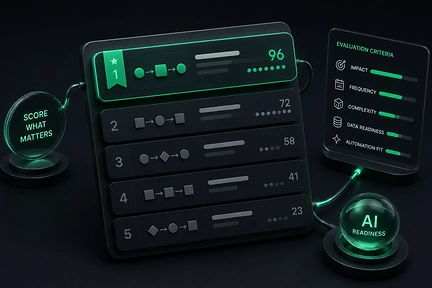
AI Workflow Ranking: What to Automate First
Most AI projects fail at the first decision: which workflow to build for. AI Workflow Ranking is a repeatable way to score every workflow on readiness and value, then pick the first build that actually pays off.
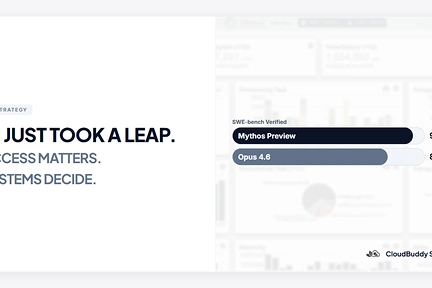
AI Just Took a Leap. Access Is Becoming a New Advantage.
Anthropic released Mythos Preview to a closed group of organizations. The capability leap is real, but the access model may matter just as much. As AI shifts from an equalizer to a gated advantage, the teams that win will be the ones that can turn that capability into working systems.

Claude Code Leaked. I Looked Under the Hood.
Claude Code CLI accidentally exposed part of its codebase. I pulled the package and looked under the hood. The direction is clear: AI agents are becoming systems.

I Rebuilt My Company Site From My Phone (At the Gym)
What it actually looks like to work with remote AI agents. What worked, what didn't, and how Claude Dispatch compares to our custom AI tools.